Use general lighting when people need to see across a room, move between stations or do similar work in several places. Add task lighting when someone needs to see a detail that the room lighting misses, such as a faint line on a drawing or a burr on a metal edge. Both can be necessary at the same bench. Before buying a brighter lamp, ask the worker to point out exactly what disappears from view and watch them do that part of the job.
Which type of lighting fits the job?
General lighting, also called ambient lighting, covers the room. A task light serves a particular surface and can often be moved or dimmed by its user. There is a third option for a row of benches doing the same work. Localized general lighting uses overhead fixtures to give that zone more light while the surrounding room retains its own level. The Canadian Centre for Occupational Health and Safety describes all three arrangements.
| What workers need to see | Where to put the light |
|---|---|
| People, carts and obstacles along a shared aisle | Improve general lighting along the route. Walk it in both directions and check the turn between rows. |
| The same assembly detail at a fixed row of benches | Try localized overhead lighting for the row. Check the end benches as well as the middle. |
| Fine print, a small recess or the edge of one part | Keep background lighting and add an adjustable task light. Check the detail from the worker’s normal position. |
The reach of the problem helps narrow the choice. If several people lose sight of the same step or aisle edge, start with the shared lighting. If one worker has to lift a component toward a ceiling light to inspect it, try changing the light at the bench. For the wider relationship between visibility, posture and the design of the workspace, see lighting ergonomics.
Where to position a task light
Have the worker sit or stand as usual before moving the lamp. From the far side of a bench, a supervisor can easily miss the shadow a hand casts on a pencil mark or the ceiling panel reflected in a screen.
At a desk with a screen and paper
Aim a shaded desk lamp at the document. Keep the bright opening out of the user’s line of sight and check the screen for its reflection. Position the monitor so the window is to the side. Then ask the worker to move their gaze from the paper to the display and back. They should be able to read both without twisting away from a reflection. These adjustments follow OSHA’s computer workstation guidance on lighting and glare.
Check the arrangement again when the usual document holder and keyboard are in place. If the worker can read the page only by leaning forward, bring the document and light into a comfortable position together. Moving the chair to escape glare can undo an otherwise ergonomic workstation setup.
At a workbench used for visual inspection
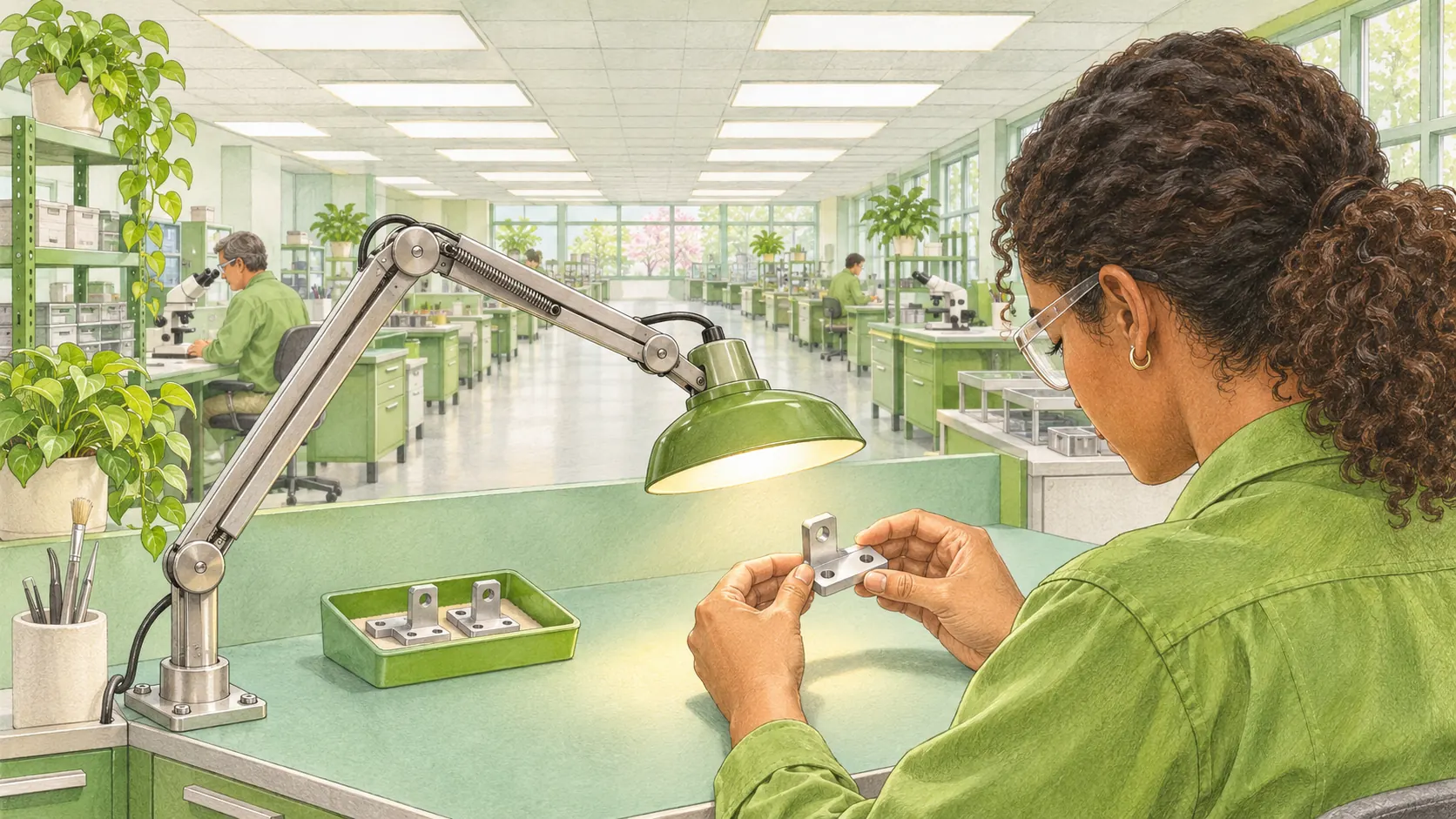
Put an actual part in its normal fixture. Ask the inspector to show the feature they must accept or reject. On a polished face, a bright reflection can hide the very edge they need to see. Move the lamp sideways and change its angle while the inspector watches the feature. On a recessed part, watch whether the inspector’s hand cuts off the light as they reach in. A shielded or more diffuse source can help when a concentrated reflection keeps following the part. CCOHS describes how to find and correct reflected glare.
At a shared bench, let each operator try the adjustment from their own working position. In a 16-month factory study, researchers installed controllable task lighting at ten workstations and recorded the levels workers chose. The test group’s productivity rose by 4.5% relative to a comparison group. The researchers could not establish which mechanism explained the gain. For a supervisor choosing fixtures, the practical question is whether workers can easily set the light for the detail in front of them. Read the original factory study by Henri Juslén and colleagues.
How to check lighting levels at the workstation
A lux meter measures the light that reaches a surface. Take the reading where the worker looks. A reading in the middle of an empty desk tells you little about the light on an upright drawing or inside a fixture. As a guide to scale, Britain’s Health and Safety Executive gives 300 lux for a process control room and says that studying an engineering drawing may require 750 lux. The drawing and its surroundings can have different needs. Use the guidance or standard for your task and jurisdiction when choosing a target. HSE explains why lighting levels vary by activity.
- Record the starting conditions. Identify the object, the detail that is hard to see, the shift, the daylight and which lights are on. Ask the worker to show the problem with their usual tools or documents in place.
- Measure on the working surface. Follow the meter instructions. Put the sensor in the plane of the page, panel or component and keep your own shadow clear of it. Check the difficult spot and nearby areas with the worker in position. Record where each reading was taken.
- Change one thing and repeat the job. Adjust the shade, direction or dimmer for a local problem. For a wider dark patch, have facilities check the condition and spacing of the room fixtures. Repeat the readings under comparable conditions and ask the worker to identify the detail again.
- Check the view from the next station. Look for glare at a neighbour’s bench and walk the approach from a brighter or darker area. Recheck during the shift when the difficulty was reported. Record what improved, what still needs attention and who will follow it up.
A higher meter reading can coincide with poorer visibility on a glossy surface. If the detail still disappears, mark where the reflection occurs and ask a competent lighting specialist to assess the installation. The worker’s observation and readings at the same marked locations give that specialist a place to start. For a wider review, use the CCOHS workplace lighting checklist.
Frequently Asked Questions
Choosing a desk lamp also raises questions about light output, daylight and what the employer has to provide.
Does every office desk need a task lamp?
A desk with adequate light for its actual work may already be suitable. Ask the person to read their usual documents and screen, and look for reflections from their seat. In Great Britain, the display screen equipment rules address the visibility and contrast that lighting must provide and the control of glare. The choice of fixture depends on the task and the user’s visual needs. See the lighting provisions in HSE’s guidance on the regulations.
How many lumens should a task lamp have?
Lumens tell you the quantity of light a lamp emits. A lux reading tells you how much reaches each square metre of the work surface. Two lamps with the same lumen output can light a drawing differently because their shades, beam angles and mounting positions differ. Use the task’s lux target to try the fixture in place before specifying it for a whole room. The units and the meaning of the working plane are explained in the glossary of HSE’s Lighting at Work.
Can daylight provide the general lighting for a workstation?
Daylight can provide much of the background light while conditions allow. Test the station at the least daylit time it is used, including evening work, and keep electric lighting available for those conditions. At a sunlit desk, give the user a way to adjust the blinds and check whether the paper and screen can both be read afterwards. The Canadian Centre for Occupational Health and Safety explains how daylight varies in a workplace.